DiskDuo vs CleanMyMac
A yearly subscription against one payment, and what each one shows you before it cleans.

A Shaheer Malik product
DiskDuo measures every folder on your Mac, draws the answer nine ways, and clears space you can take back: caches go for good, anything of yours waits in Recovery for Undo, and the space it reports is the space the disk actually gained.
$7.99 once — yours for life. No subscription, no account to keep. The demo needs no sign-up. macOS 14 or later, Apple silicon and Intel.
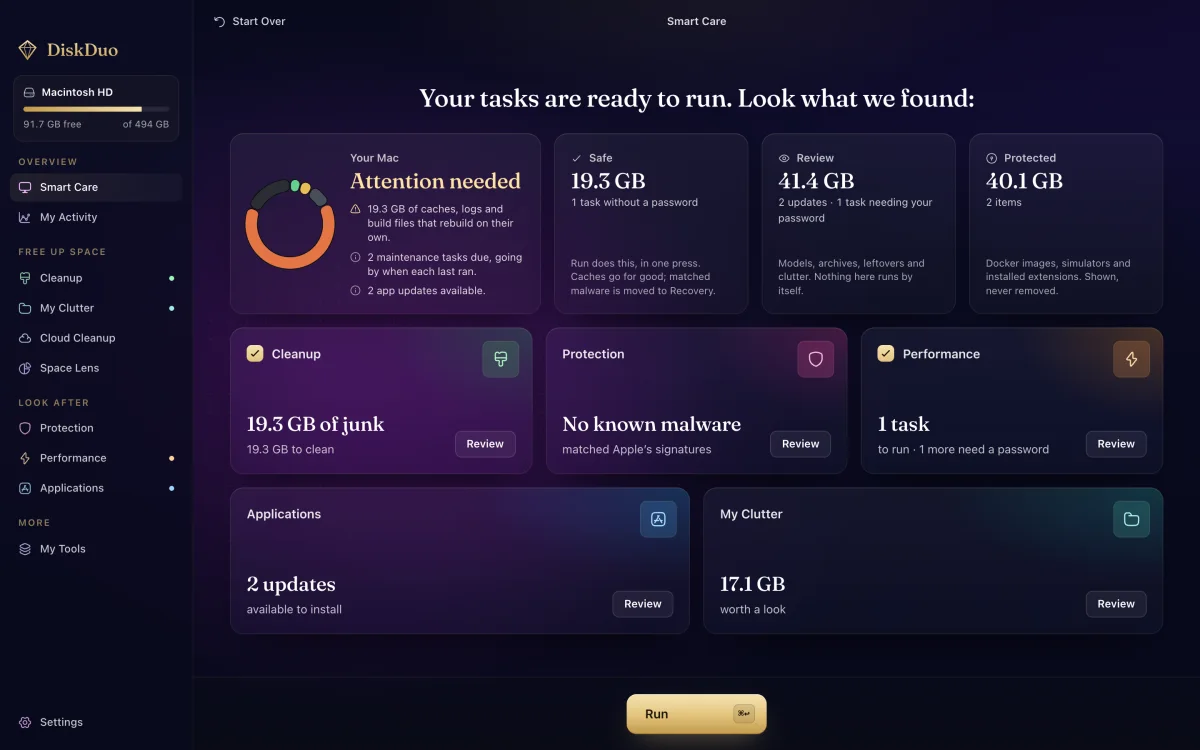
Try it first
Not a video and not a tour: the real interface, already loaded with a finished scan, with every screen working. Open the treemap, stage a cleanup, read the security check. No download, no sign-up, no email.
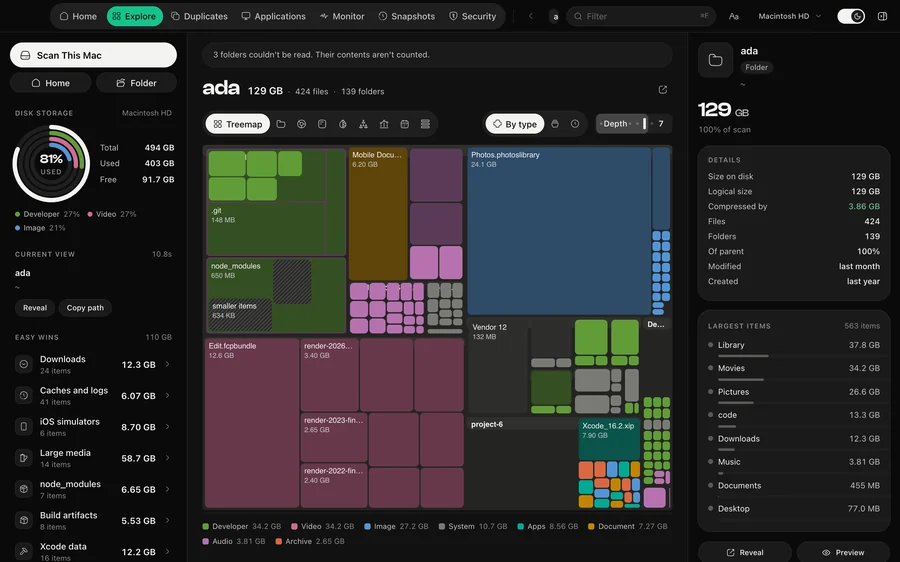
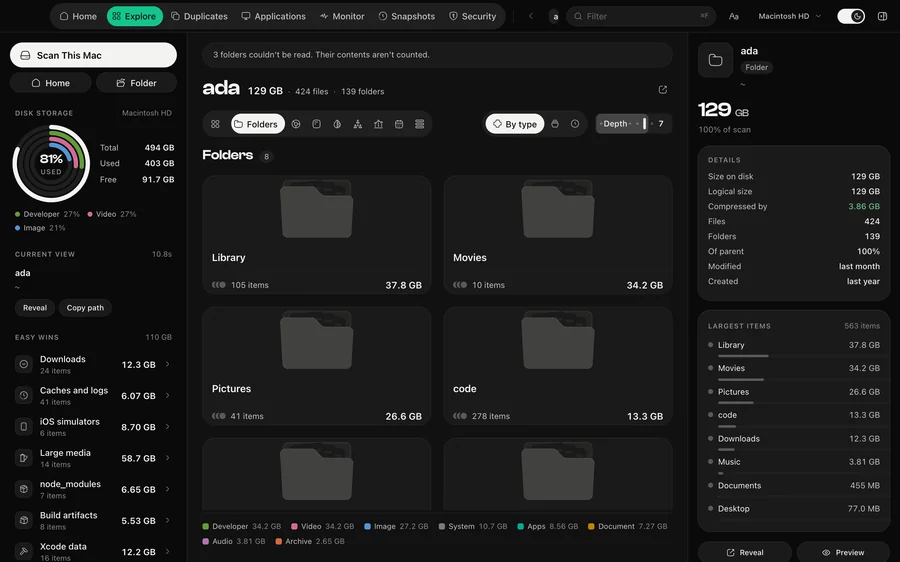
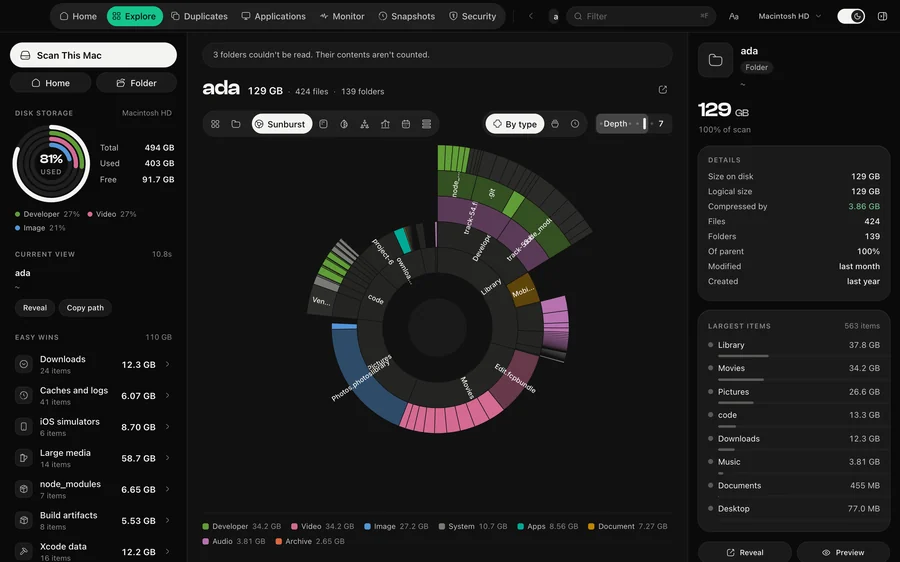
Nine views
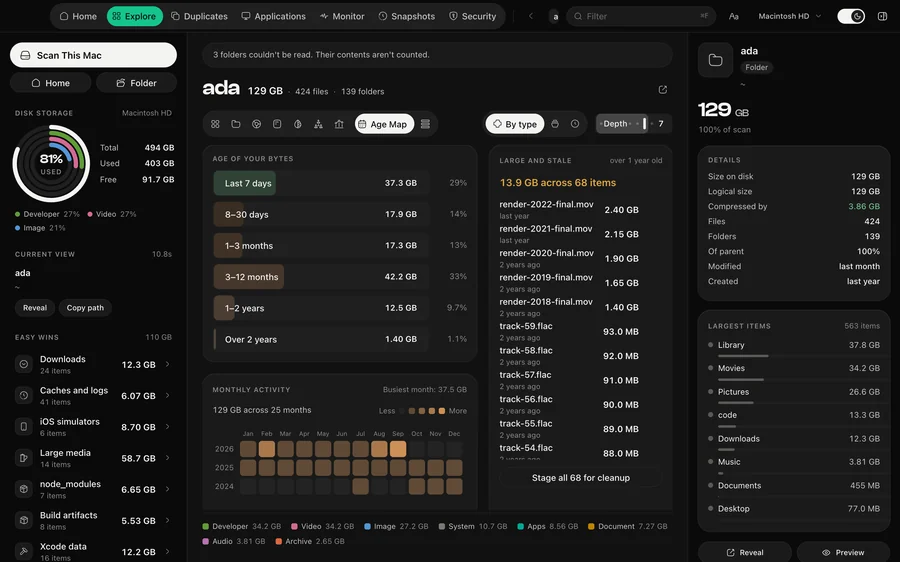
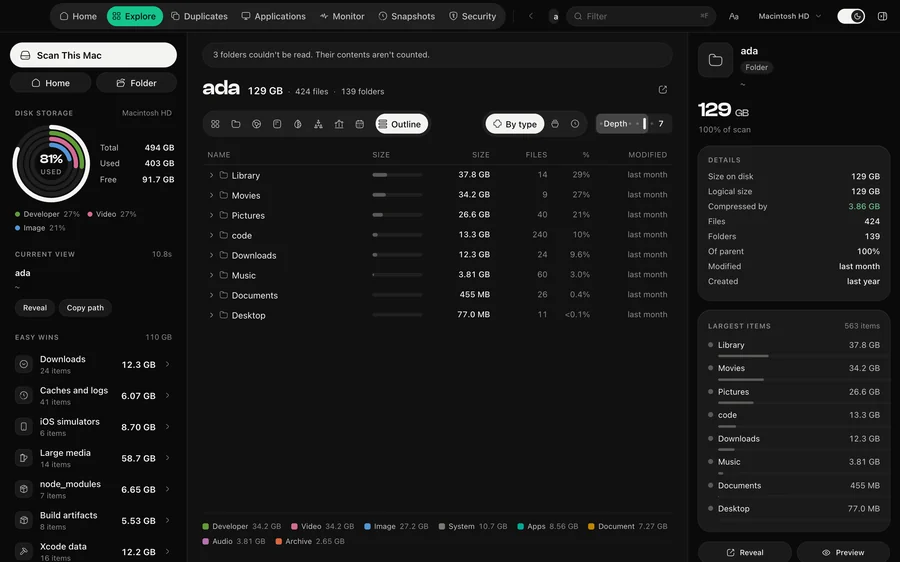
Every view reads the same scan and keeps the same selection. Pick a folder in the treemap and it is still picked in the sunburst, the list and the map.
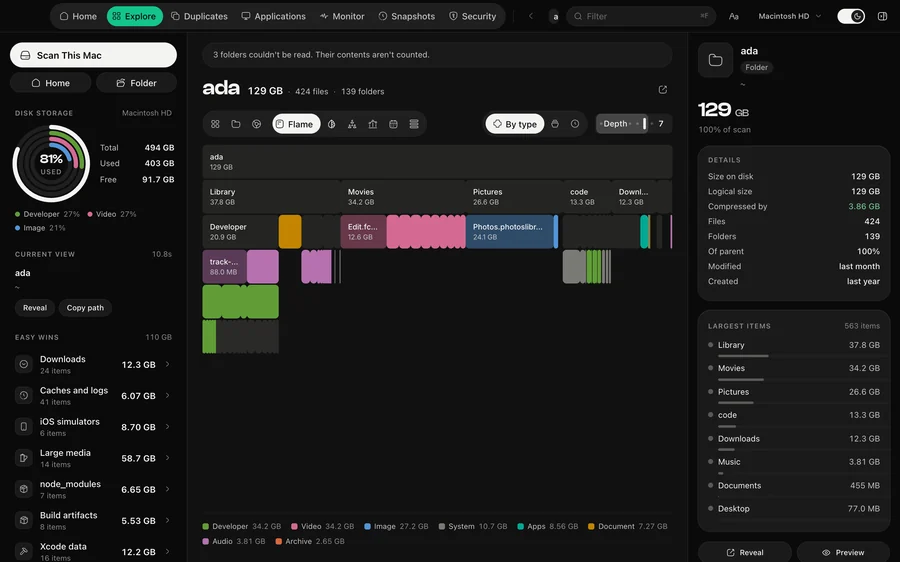
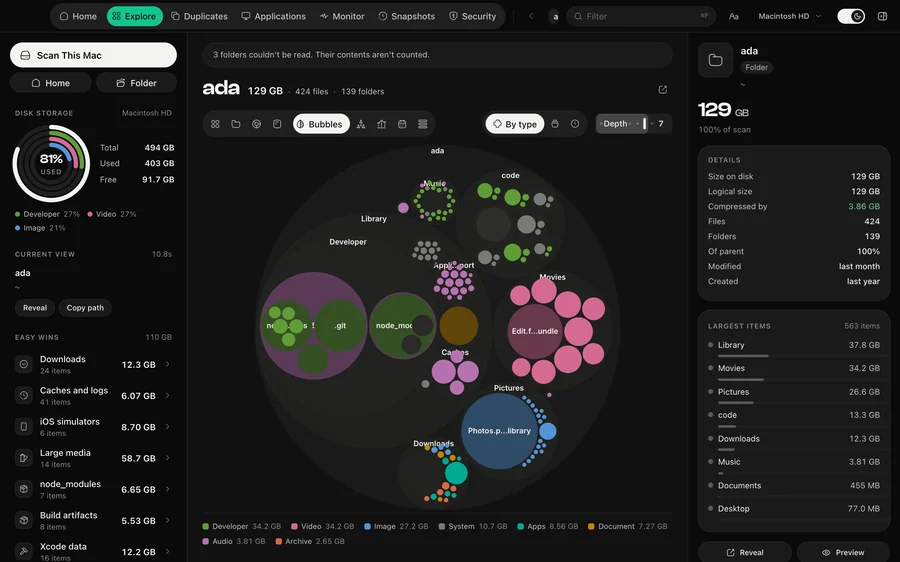
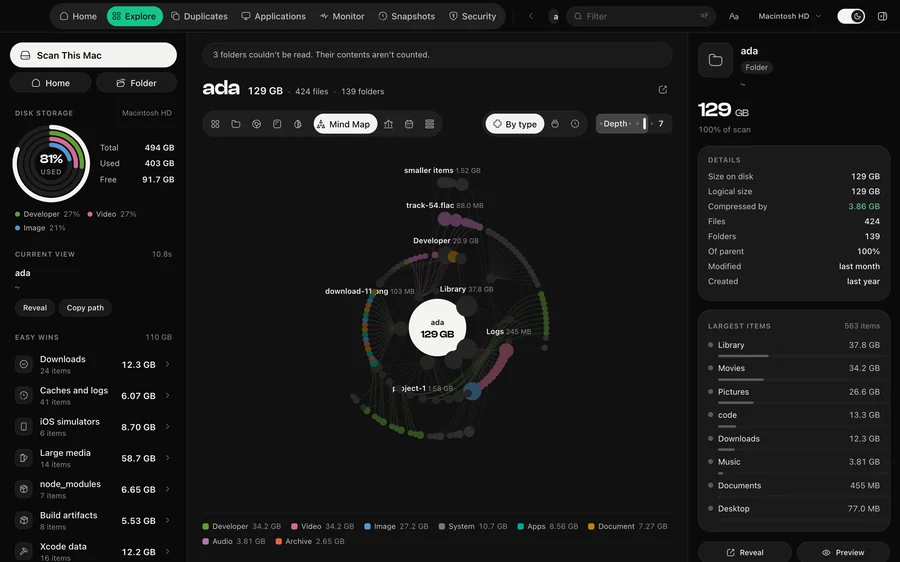
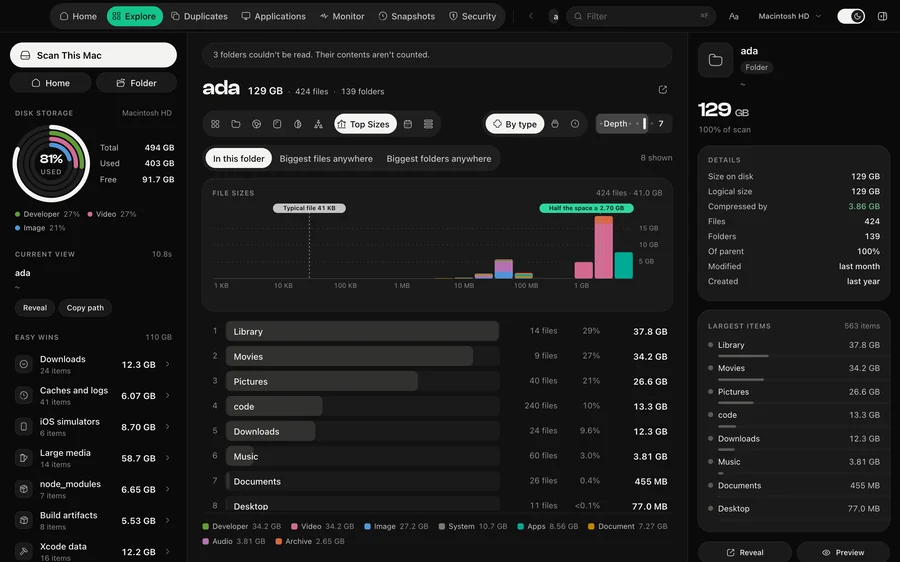
Quick Scan
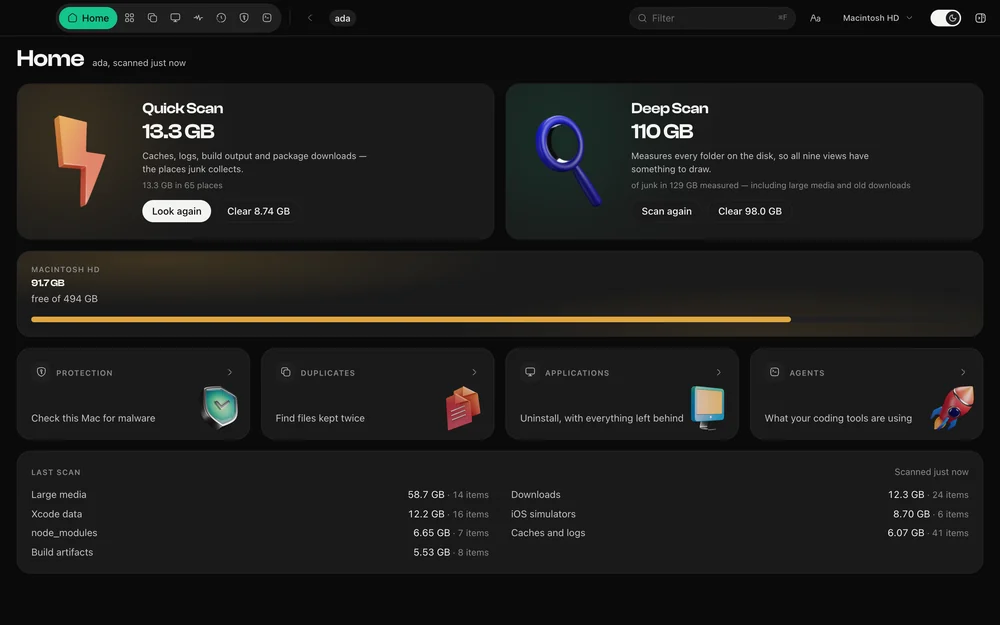
Most people open a disk cleaner wanting space back, not a map. Quick Scan looks only where junk collects — caches, logs, build output, Xcode derived data, and the caches six package managers keep — and is done in about five seconds. Then one button clears it.
Agents
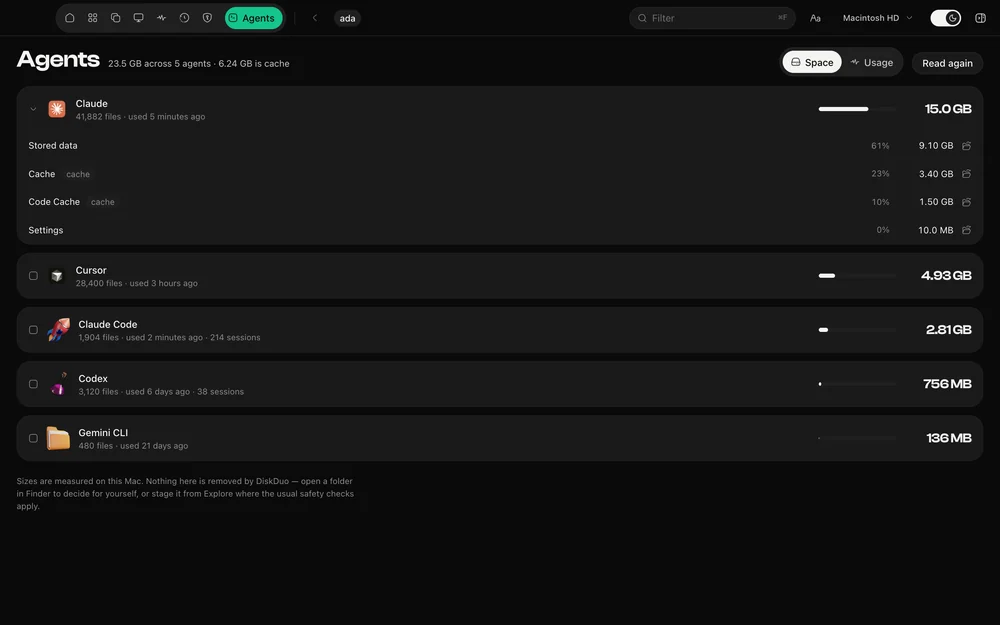
Coding assistants are among the heaviest things on a developer disk and nothing measures them. DiskDuo finds Claude Code, Claude, Codex, Cursor, Gemini, Copilot and the rest, shows what each is using and which of it is cache, and reads their own session files for what those sessions cost in tokens.
Cleanup
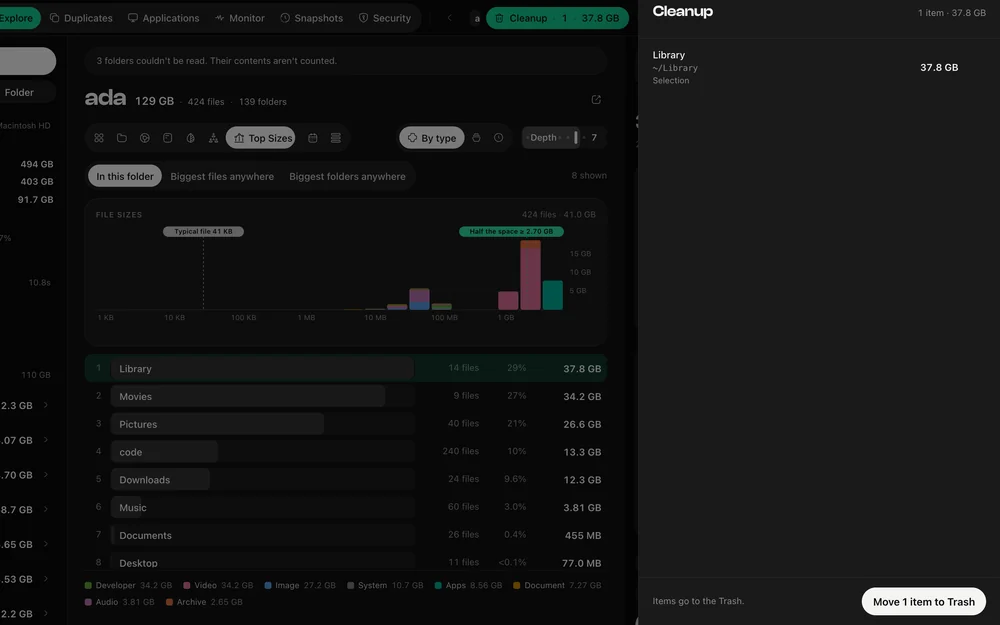
Stage what you want gone and review the list: what each item is, where it came from, and what it frees. Then caches that rebuild themselves are removed, and everything else is held in DiskDuo’s Recovery, where Undo puts it back. The parts of macOS that must not be touched cannot be staged at all.
Security
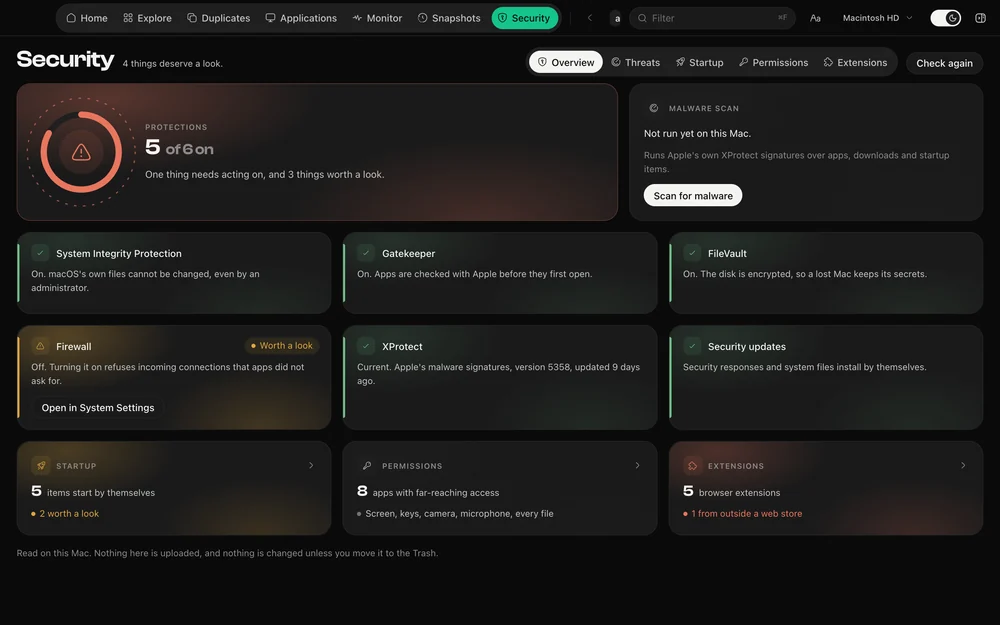
DiskDuo reads the protections macOS already has — System Integrity Protection, Gatekeeper, FileVault, the firewall, XProtect — and says plainly which are on. It lists what starts by itself, which apps can see your screen or read every file, and what your browser extensions can reach.
Malware scan
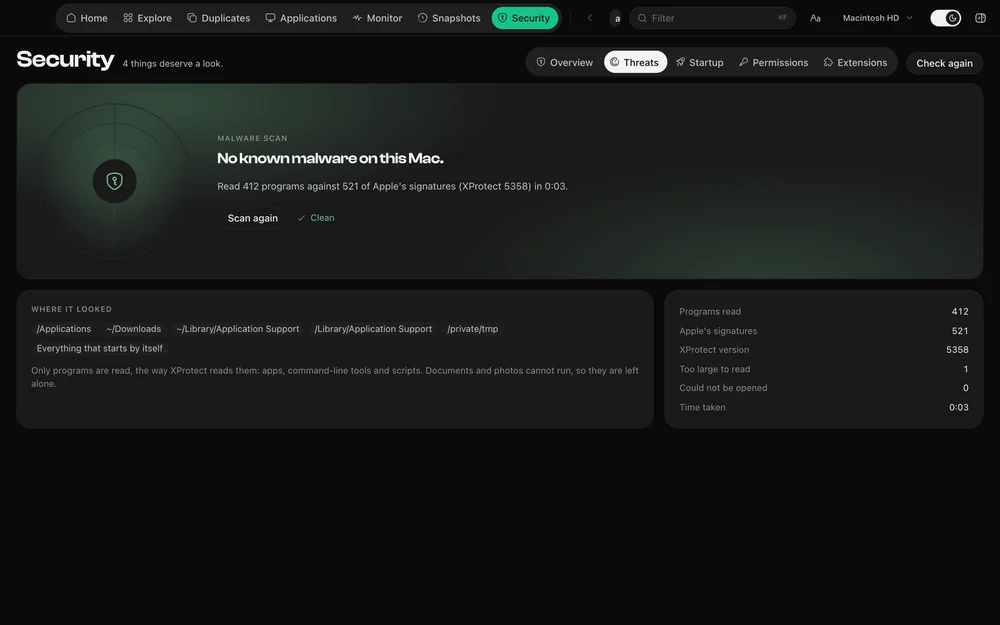
The malware scan uses the XProtect rules already on your Mac, over your apps, downloads, shared and temporary folders, and everything that starts by itself. No signatures to download, nothing uploaded, and anything found can be moved to Recovery, where whatever started it can no longer find it.
Duplicates
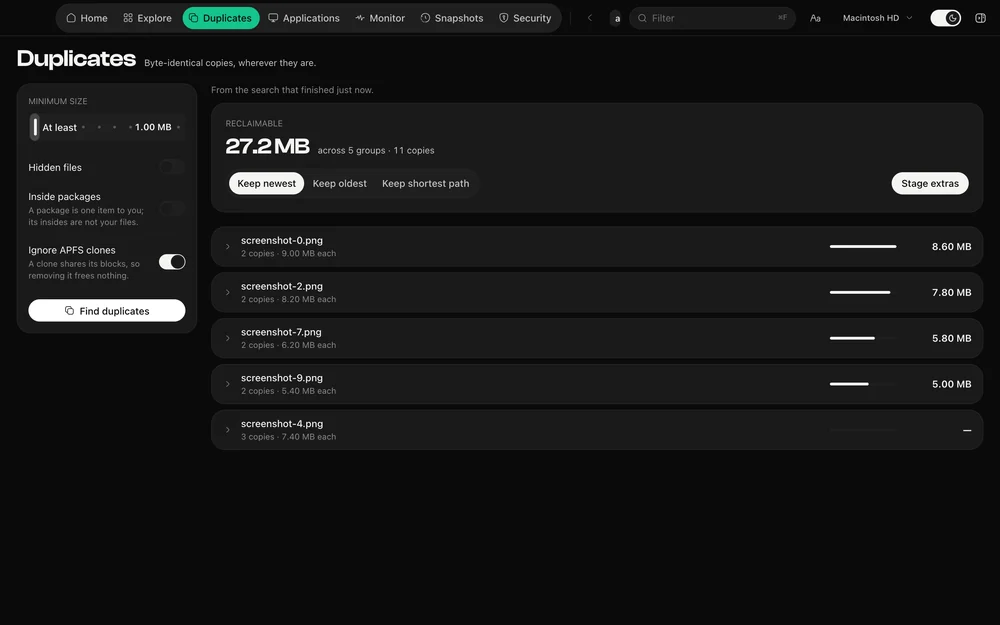
Sizes, then edges, then a full hash, then a byte-for-byte comparison. Copies that are clones on APFS free no space, so they are left out rather than counted as a win.
Applications
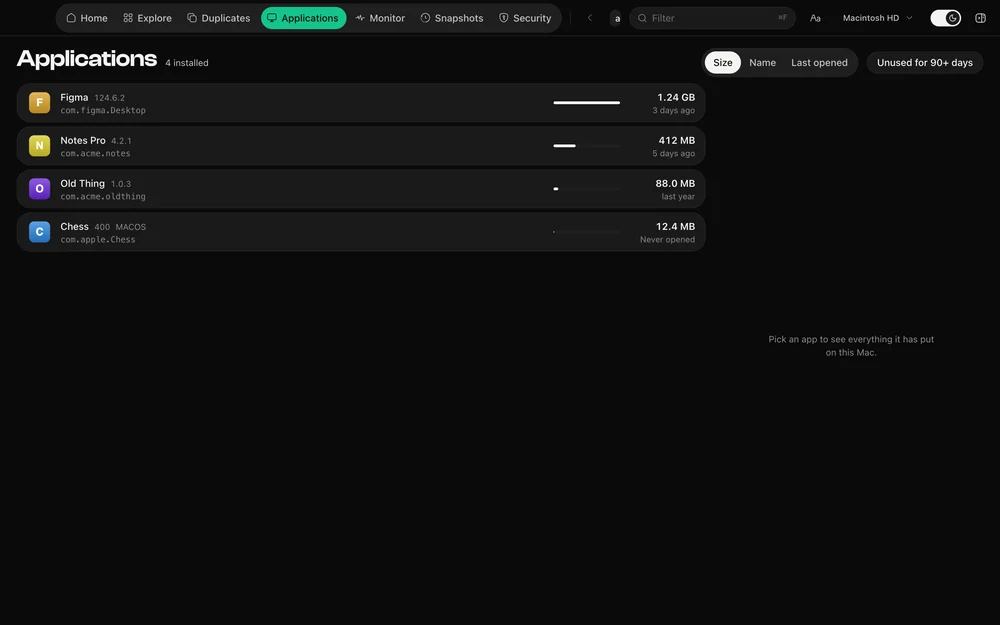
Each app with its real footprint, when you last opened it, whether Apple notarized it, and every file it has put around your Mac — with the reason each one was matched to it.
Monitor
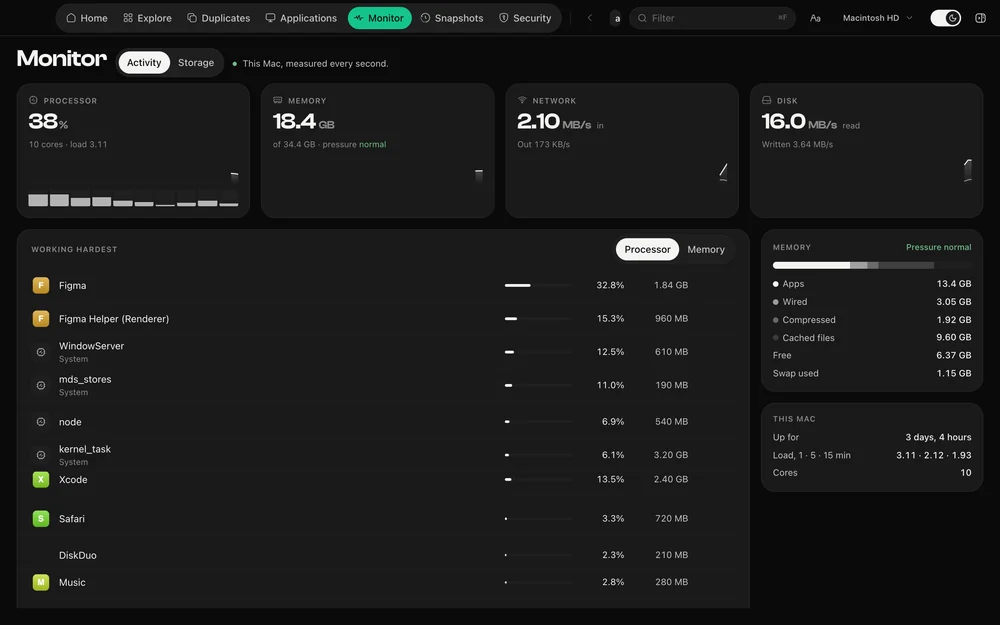
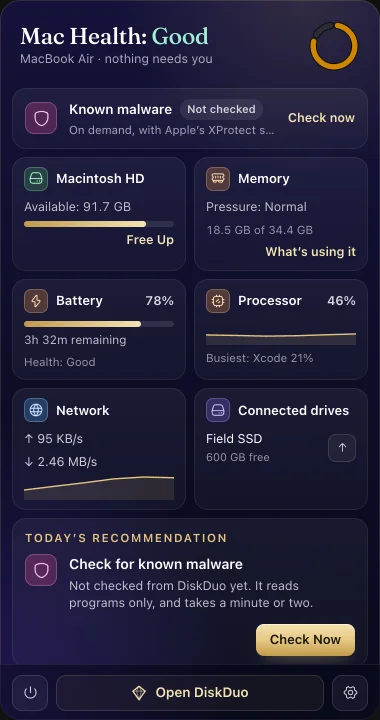
Processor, memory, network and disk, measured every second and drawn beside the last ninety, so a spike reads as a spike. The menu bar keeps free space in view, with the same figures a click away.
Verified
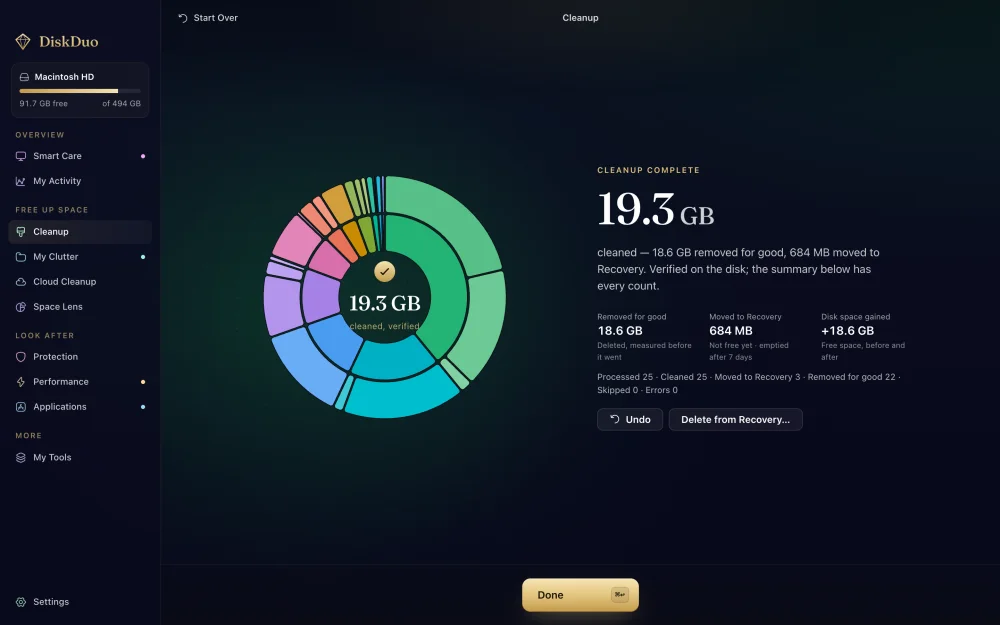
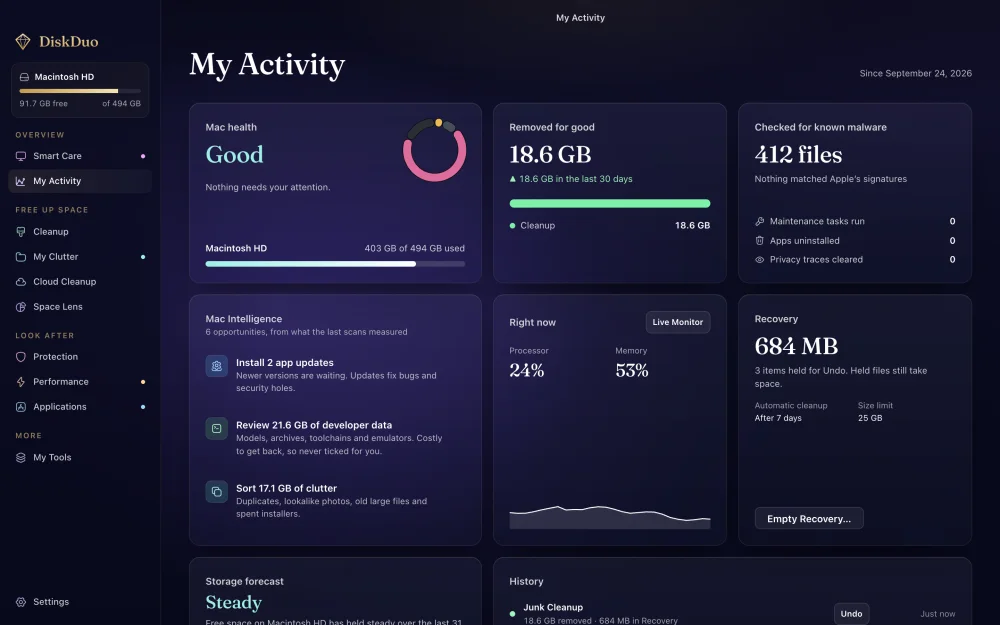
After a clean, DiskDuo reads the disk again. It tells you what went for good, what waits in Recovery, and how much free space the disk really gained — and My Activity keeps every run, so you can see what changed and undo what you need.
Menu bar
The drawer shows free space, memory, processor and battery as they change, and starts a Smart Care scan without opening the window. Start it, watch it, stop it — every tile opens the module behind it.
What it costs
Mac cleaners are sold by subscription. DiskDuo is sold once and stays yours, including every 1.x update. Here is what four years looks like.
Competitor prices checked in September 2026 — verify on their site, since this can change. DiskDuo is $7.99 while it is new; it will not stay there for ever.
From the maker

I built DiskDuo because the tools that clear space on a Mac ask you to trust them twice: once with your files, and again with a subscription. I did not want to do either.
So DiskDuo shows its working. Every figure comes from your own disk, measured in front of you. Nothing is removed until you have seen the list and said yes, and anything of yours is held in Recovery, where Undo puts it back. There is no analytics, no crash reporting and no account to keep. You pay once.
If it ever gets something wrong, write to me and I will fix it. My name is on it.
Shaheer MalikFounder and developer, DiskDuo · support@shaheercare.com
Compared
Most Mac cleaners are sold by the year. DiskDuo is sold once, shows you what it is about to do, and leaves your files where they are until you say otherwise.
A yearly subscription against one payment, and what each one shows you before it cleans.
A Windows tool with a Mac build, against one written for macOS alone.
Free on Windows, absent on the Mac. What to use instead, and why.
A beautiful map, against a map that also cleans, uninstalls and checks your security.
Private
No analytics. No crash reporting. DiskDuo contacts us to activate your licence and to look for updates — never to report what is on your disk. The malware scan uses the signatures macOS already keeps, so even that stays local. This website counts visits, as websites do; the app is the part that holds your files, and it counts nothing.
Pricing
DiskDuo for Mac
$7.99
Questions
No. Nothing is removed until you stage it, review the list and confirm. Anything of yours is held in Recovery, where Undo puts it back; only what rebuilds itself is removed for good.
The system folders are blocked outright — not hidden, blocked, in the engine rather than the interface. DiskDuo will not stage them however they are reached.
Nothing about your files. DiskDuo has no analytics and no crash reporting. It talks to our server to sign you in, to check your licence and to look for updates, and that is all.
No. You pay once and keep it, and every 1.x update is included. It works on one Mac at a time and moves with you to a new one.
Only if you want the whole picture. Without it DiskDuo still scans and still cleans; some folders macOS keeps private are simply missing from the total, and the app says so.
What the last scan found, with the date it was taken and a Scan again button. It never opens on an empty screen.
macOS 14 Sonoma or later, on Apple silicon and Intel. One build runs natively on both.
macOS 14 or later, Apple silicon and Intel. Universal, signed and notarized.