Quick Scan
Junk gone in seconds.
Malware scan
The malware scan uses the XProtect rules already on your Mac, over your apps, downloads, shared and temporary folders, and everything that starts by itself. No signatures to download, nothing uploaded, and anything found can go to the Trash.
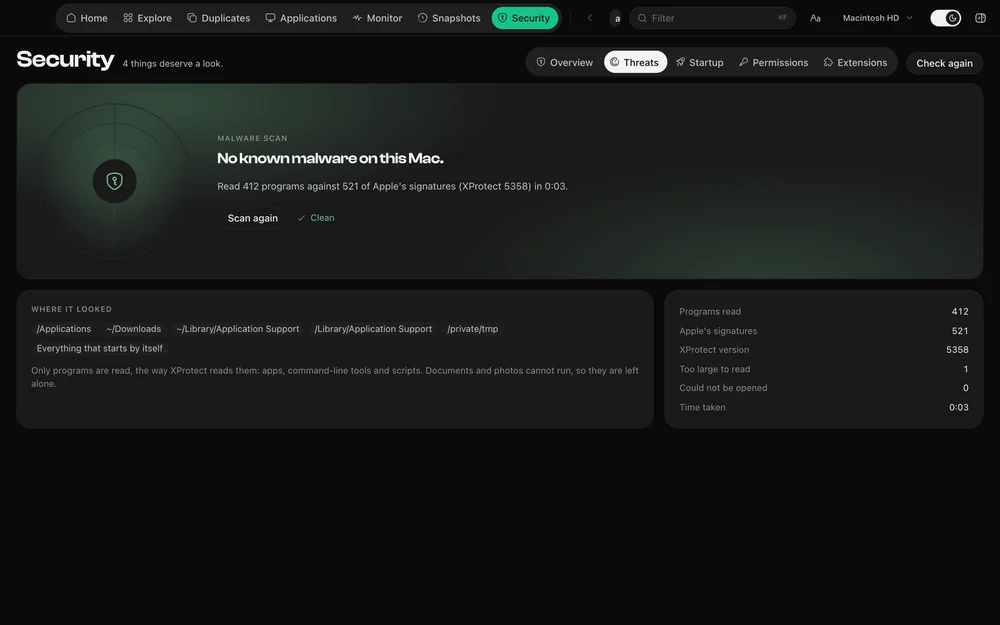
macOS ships Apple’s XProtect rules and keeps them current by itself. DiskDuo reads those same files and runs them, so there is no second database to trust, nothing to subscribe to, and nothing to keep up to date.
Applications and their helpers, Downloads, the Desktop, Application Support, the shared folder, the temporary folders, privileged helper tools, and every program that starts by itself. Only programs are read — Mach-O binaries, scripts and compiled AppleScript — because that is what the rules describe.
It does not watch your Mac in the background, it does not scan documents or photos, and it never uploads a file or a hash. XProtect itself still checks programs when they first open; this is the same check, run when you ask, over what is already sitting there.
The family is named, the file is shown, and you can reveal it in Finder or move it to the Trash — through the same safety check as every other removal. If it also starts by itself, the startup list says so.
Questions
It runs the malware signatures Apple ships with macOS, on demand. It is not a background scanner and does not replace one.
Seconds on a typical Mac: a few hundred programs against several hundred rules. It reads programs only, which is why it is quick.
The rest of it
One payment, no subscription. Signed and notarized by Apple.