Quick Scan
Junk gone in seconds.
Duplicates
Sizes, then edges, then a full hash, then a byte-for-byte comparison. Copies that are clones on APFS free no space, so they are left out rather than counted as a win.
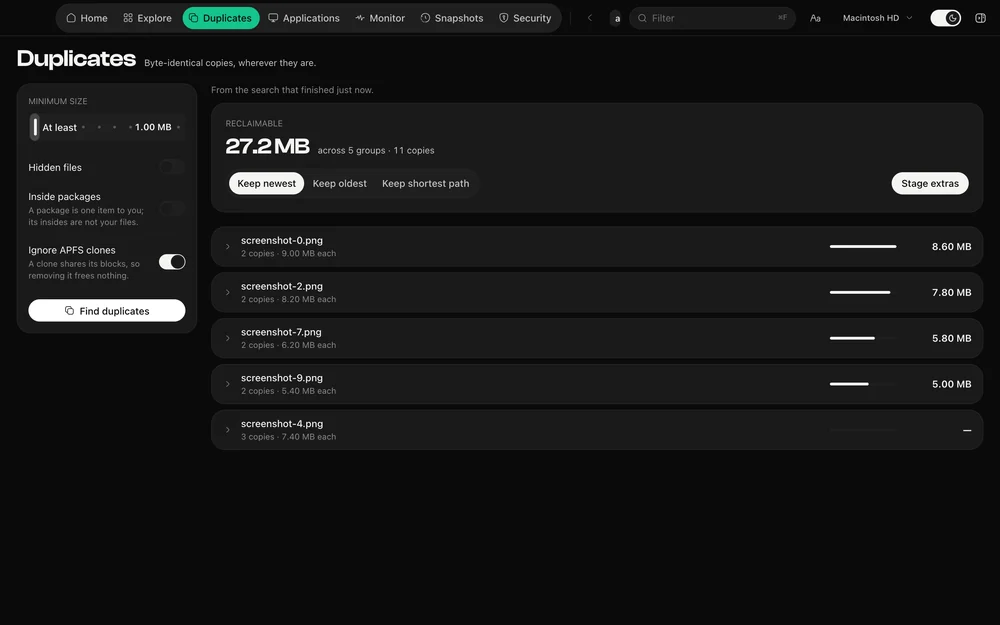
Files of a unique size cannot have a twin, so they are ruled out for nothing. What survives is read at both ends, then hashed in full, then — below a size you set — compared byte for byte. The work gets more expensive only as the field narrows.
APFS can hold two names for one set of blocks. Deleting one frees nothing. DiskDuo asks the file system how much space a file really occupies, marks clones, and leaves them out of what it offers to reclaim.
Keep the newest, the oldest or the one with the shortest path, and the rest are staged for review. Nothing is removed as a side effect of a search.
Questions
DiskDuo never deletes on its own. It stages the extra copies under a rule you choose, and you see the list — with which copy is being kept — before anything moves.
Because it is an APFS clone: two names for the same blocks. Removing it reclaims nothing, so DiskDuo declines to count it.
The rest of it
Junk gone in seconds.
What your coding tools are really using.
Nothing goes until you say so.
A check-up for the rest of your Mac.
Apple's own signatures, run on demand.
Uninstall, with everything left behind.
What your Mac is doing, right now.
One payment, no subscription. Signed and notarized by Apple.