Quick Scan
Junk gone in seconds.
Applications
Each app with its real footprint, when you last opened it, whether Apple notarized it, and every file it has put around your Mac — with the reason each one was matched to it.
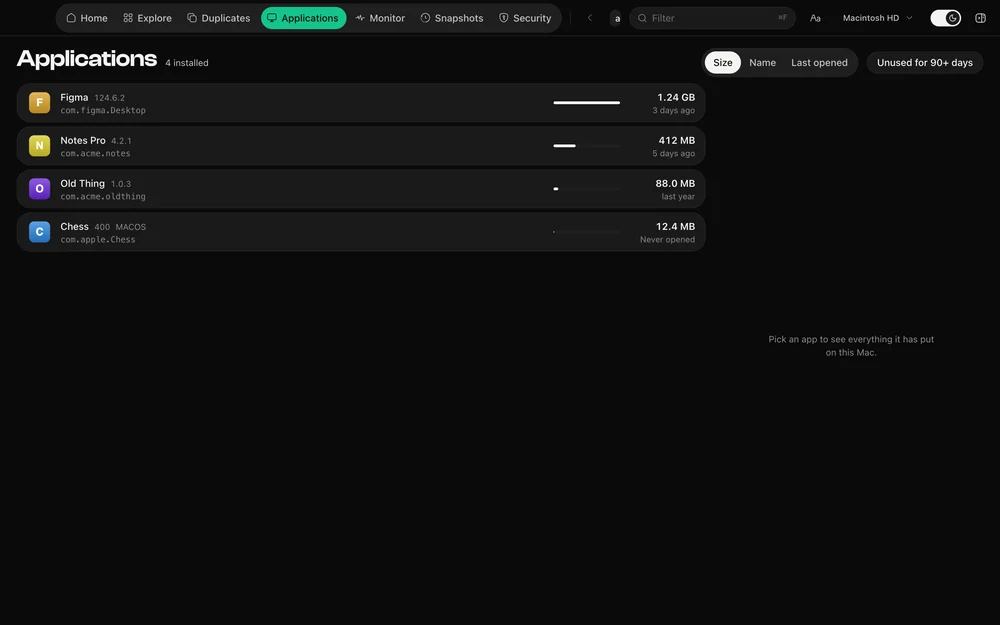
An application is a bundle, but its life is spread across your Library: caches, containers, group containers, preferences, saved state, logs and login items. DiskDuo gathers them and shows the footprint that results.
A file is claimed only on an exact bundle identifier, a dotted prefix of it, an exact folder name, or a group container prefixed with the developer’s team. There is no substring search, because a substring is how an uninstaller takes a folder that was never the app’s.
Each app carries its signature: signed by Apple, from the App Store, notarized by Apple, or signed by a developer without notarization — and anything unsigned or changed since signing is called out.
Questions
They are shown with the rest of the footprint, and the Security section lists them separately with who signed them.
DiskDuo asks it to quit the way the Dock does, so it can offer to save first, and waits for it to go before removing anything.
The rest of it
One payment, no subscription. Signed and notarized by Apple.